
Can I set the font typeface for my Calendar in the Settings somewhere?
Your Calendar module will use the same typeface that is your default for your website headings and b
Enter whatever you're curious about and we'll give you a smart summary of the best answers as well as relevant articles.

 December 18, 2025
The new Rezo integration creates invoices in the system for reservation charges made in Rezo. The integration will update Rezo when payments are made in the system. To get this integration active, you will need to have an active Rezo account. Call Support at 385-404-6200 and they can get you activated. Once the integration is active for you, here is how the integration works for you:
When a rental is configured in the integrated store in Rezo, the integration will create a corresponding invoice in . The invoice, as in the example below, will have a line item for the Rezo rental that includes the rental number and the dates for the rental. So in Rezo a rental like the one pictured here would show up in the system as an invoice like the second image:
Rental in Rezo: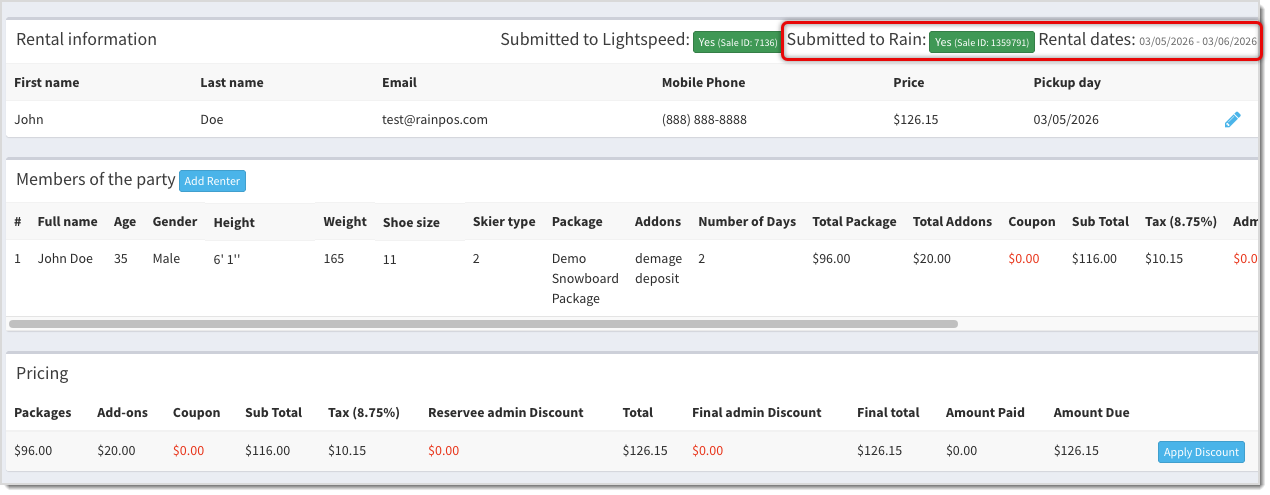
Invoice in :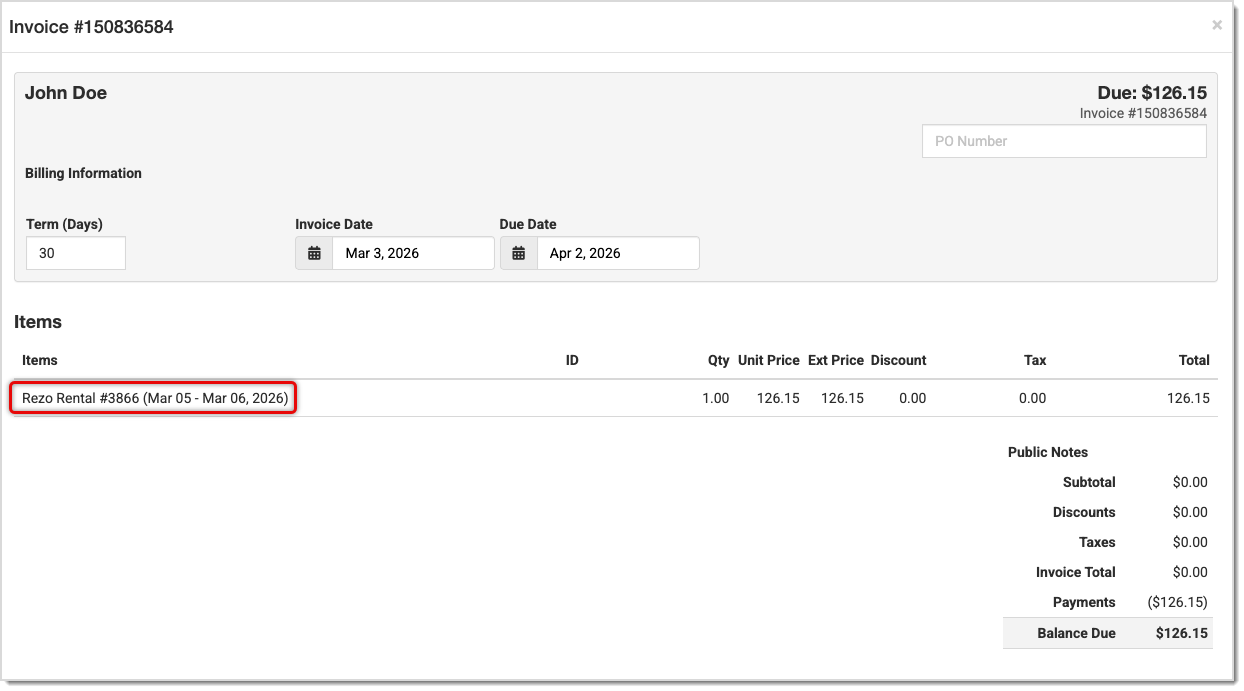
When a payment toward the invoice is made in , the system will add a notification to a queue for Rezo and when the queue runs, Rezo will be notified that payment was made. This will typically happen almost immediately, but in peak use hours it may take several minutes.
Payment in :
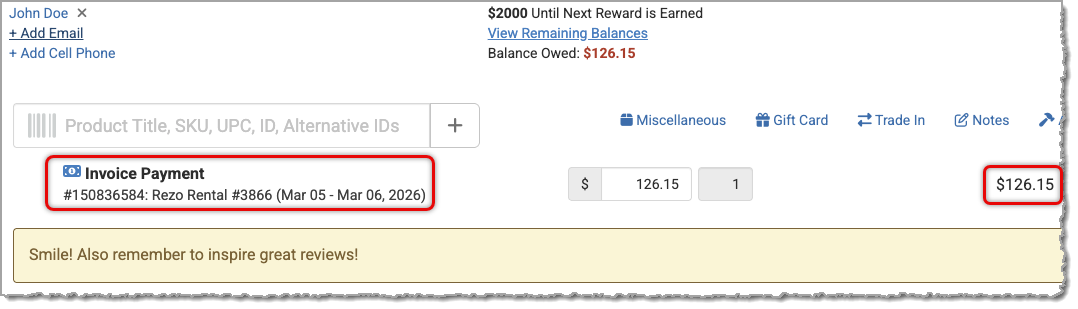
Payment Updated in Rezo:

Whenever a rental in Rezo involves a customer that is not yet saved in the system, the integration will create the customer in . The integration will try to match existing customers by email primarily, but will also look at phone, and if no matches are found, a new customer will be created.
It's important to make sure all payment activity on a Rezo rental is done in the system. Right now the integration is not able to update payments made from the Rezo side.
Is this page helpful?
×Help us improve our articles