System Updates
September 27 – October 3, 2026
New
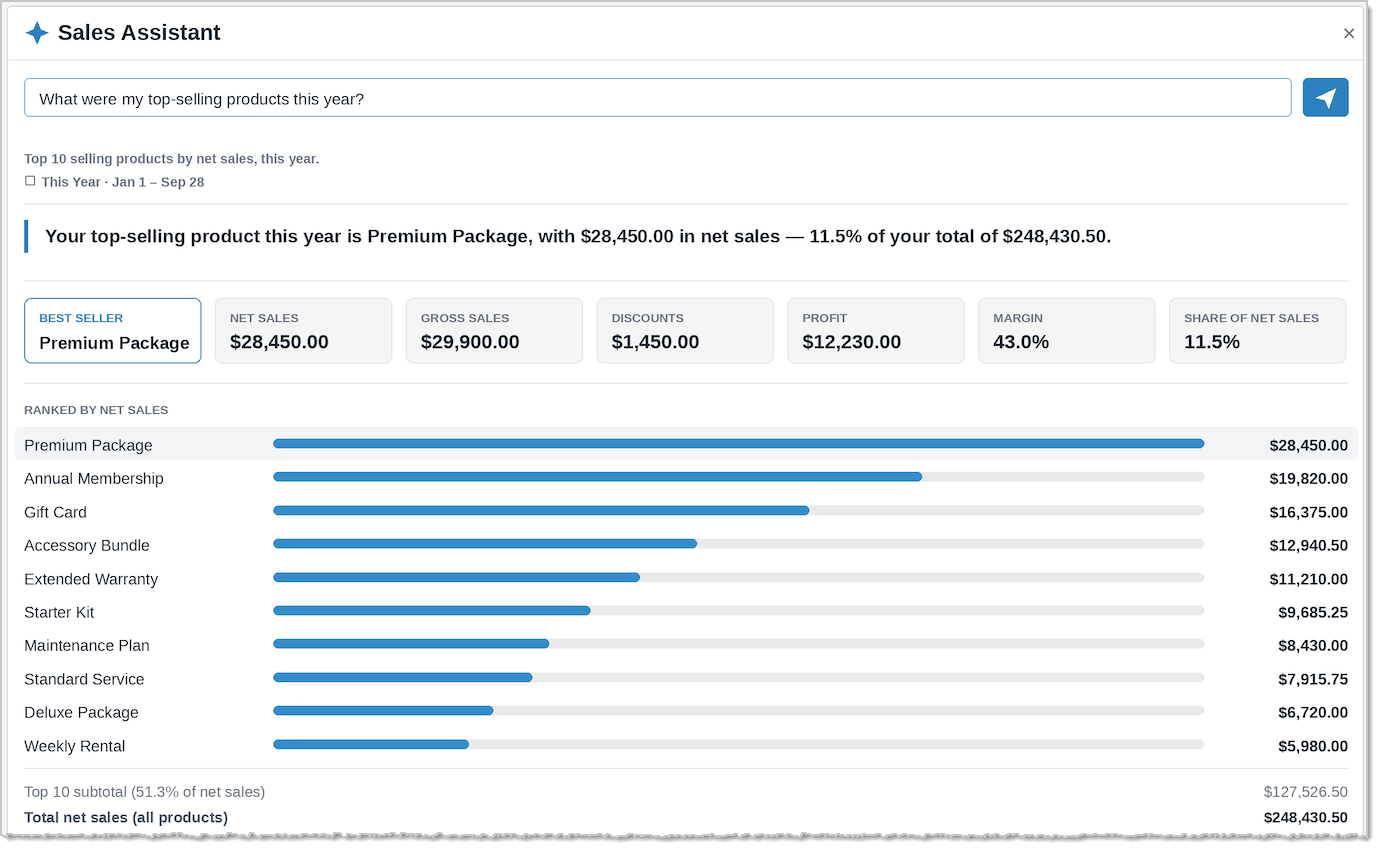
Sales Assistant: AI-Powered Answers in Your Sales Details ReportYou can now ask questions about your sales in plain language and get an instant visual summary — no need to build filters or export to a spreadsheet.
Open the Sales Details report, click Sales Assistant, and enter a question such as:
- "What were my top-selling products this year?"
- "Which items had the most discounts last quarter?"
- "Which department had the most sales?"
Here's what you get back:
- A short summary that answers your question.
- Key numbers at a glance: net sales, gross sales, discounts, profit, and margin.
- A ranked breakdown so you can see what's driving results.
- The date range and how your question was read, so you always know what you're seeing.
Improved
Transactions Needing Payment Page RefreshThe Transactions Needing Payment page has been updated to match our current look and feel, including cleaner phone number formatting.
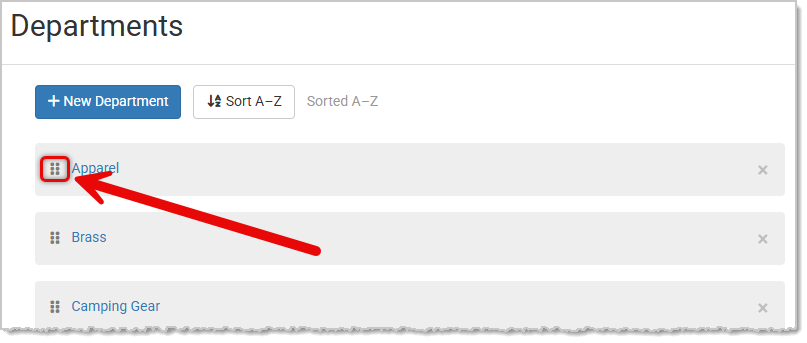
Department Ordering and SortingYou can now reorder Departments on the Departments page using drag-and-drop, including reordering sub-departments within their parent, and toggle between A-Z and Z-A alphabetical sorting with a clear label showing the current sort order. This same custom ordering now also carries through to the Add Miscellaneous Item flow when selecting a Department there, Departments appear in the same order set on this page.
 Marketing Campaigns Now Exclude Inactive Customers
Added a new "Only Email Active Customers" setting under Settings > Marketing > Marketing Emails. When enabled, the four recurring monthly campaigns (New Products, Top Sellers, On Sale, and Upcoming Classes) will skip customers with no recent purchases, orders, email opens, or account creation within a selected window (12, 18, 24, or 36 months, with 24 as the default). The setting shows how many customers are excluded before you save.
Fixed
Some Web Orders Have a Tax Calculation ErrorWe fixed an issue (for now) where some stores saw an error when customers placed web orders — "We are unable to calculate tax at this time. Please wait a moment and resubmit your order" — most often on Mac. We've resolved this by turning off the setting that caused it. We'll be rolling out additional fixes before turning that setting back on, and will share another update once that work is complete.
Website Checkout Set to 'Authorization Only' Still Capturing PaymentWe've fixed an issue where the website's Checkout Method setting could get out of sync between the admin Location settings and the website product settings, causing orders to capture payment even when the store was configured for Authorization Only. Both settings now update the same underlying value so they stay in sync.
Manually Completing a Work Order Doesn't Release Reserved InventoryWe resolved an issue where manually changing a Work Order's status to Completed (rather than picking it up through the Register) left its materials stuck in Reserved inventory, since no pickup transaction was ever created to release them. Also the Work Order couldn't be picked up afterward to fix it, since Pick Up was disabled for Completed orders. Pick Up is now allowed on a Completed Work Order that hasn't yet been through a pickup transaction, so it can go through the normal Register flow, release reserved materials, apply the deposit, and link the transaction, while Work Orders already picked up stay locked from being picked up again.
Shopify Product Sync Failing When Duplicate Image Filenames Are PresentWe corrected an issue where a product with the same image saved twice in our system would cause Shopify to reject the entire product update, preventing price and stock changes from syncing. Duplicate images are now only sent to Shopify once.
Product Search Failing on Manage Serialized Inventory PageWe fixed an issue where searching on the Manage Serialized Inventory page could intermittently fail or show stale results, especially when typing quickly, changing filters mid-search, or leaving the page open for an extended period. Search requests now properly cancel outdated results so only the most recent search criteria are reflected.
That's all for this week. Thank you for being part of the family. Take care, we love you!!


 October 05, 2026
Is this page helpful?
×Help us improve our articles